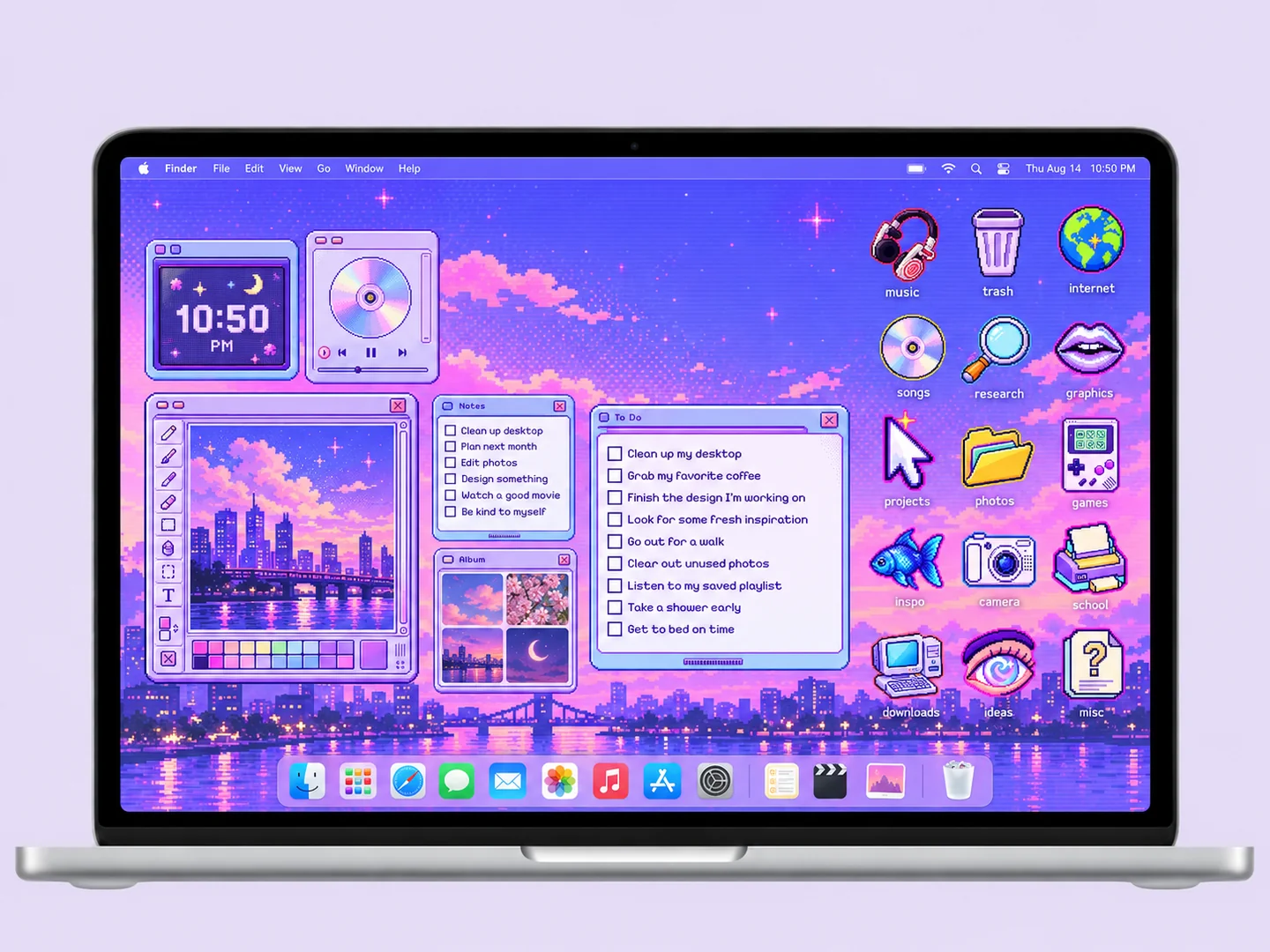
 AI concept
A purple pixel sky, retro window panels, and tiny gaming-inspired folder icons.
How to recreate itDESKTOP STYLE / PIXEL ART
Pixel-art desktops work best when the wallpaper, icons, and small panels share a consistent visual scale. Explore a purple sky or an underwater scene, then build a layout that leaves the artwork readable.
THE IDEA LIBRARY
2 desktop ideas
AI concept previews, each with a look breakdown, recreation tips, and original sources. How we make the images ↗
A preview could not load and has been omitted.
AI conceptA purple pixel sky, retro window panels, and tiny gaming-inspired folder icons.
How to recreate it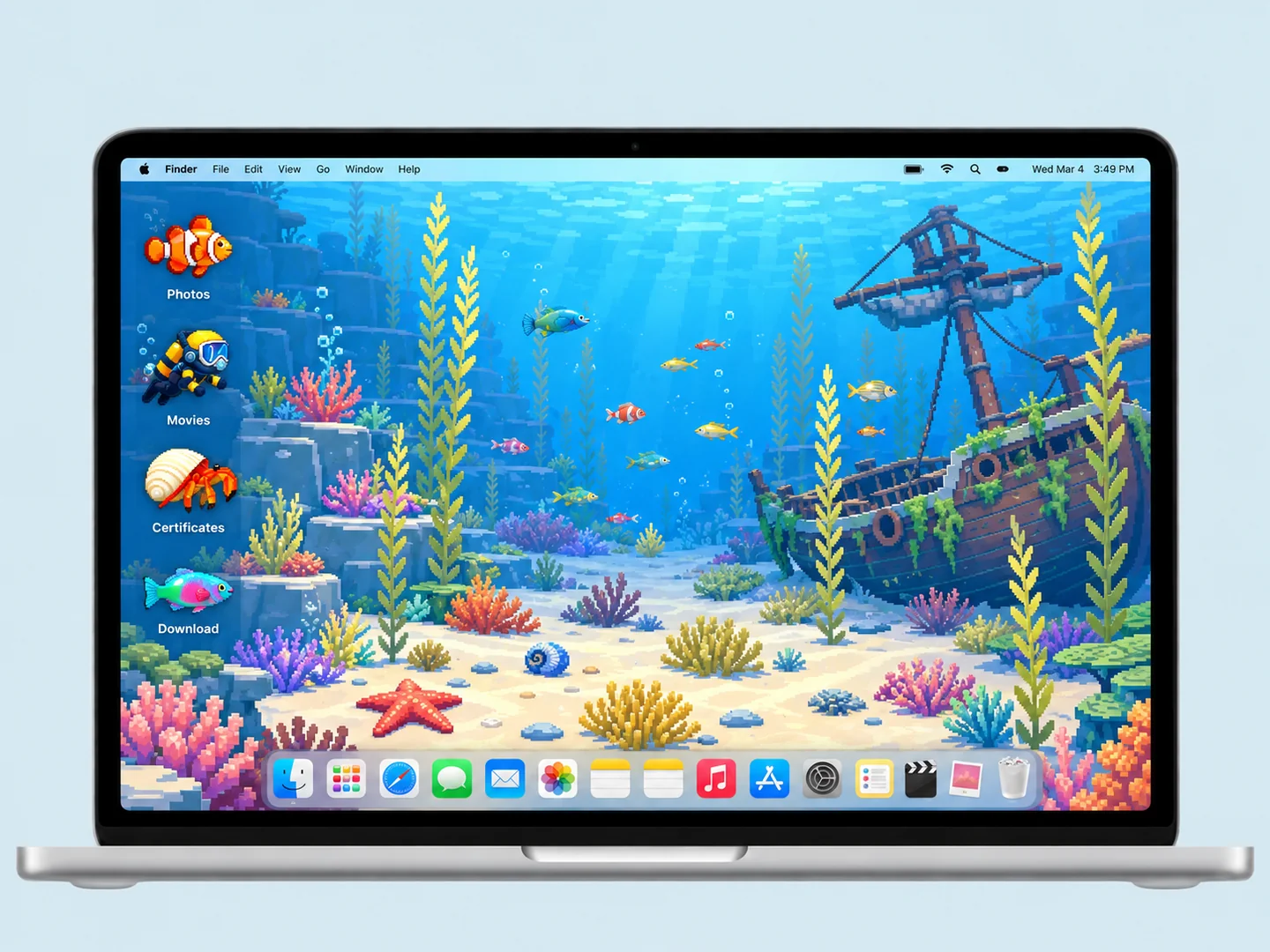 AI concept
A blue underwater scene turns fish, divers, and shells into a playful folder system.
How to recreate itTry another color or a simpler search.
MAKE THE LOOK WORK FOR YOU
A fine pixel background can look mismatched beside a very large blocky icon. Compare the two at the size you will use on the desktop. Choose artwork that stays crisp at your display resolution, and avoid enlarging a small preview into a full wallpaper.
Stars, coral, and small scenery details can compete with labels. Put folders against open sky or water, then use clear names. Keep a small icon set: a camera, headphones, fish, or shell should be recognizable without needing to inspect tiny details.
A regular grid suits a retro interface, while a few carefully spaced icons can feel part of an underwater landscape. Neither approach makes wallpaper objects interactive. Use real folders for destinations and real widgets for clocks or reminders. The previews here are static concept images.
The images shown here are static AI concept previews. Animation, widget availability, and downloadable files depend on the original source; the preview does not verify those features.
FROM INSPO TO YOUR DESKTOP
Start with a look you like, then change the wallpaper, folders, and layout in that order.
Read the guide →02 / HOW TOUse Finder’s Get Info window to replace a folder icon with an image you are allowed to use.
Read the guide →03 / HOW TOGive files clear destinations before adding an organizer wallpaper or decorative icons.
Read the guide →