WHY IT WORKS
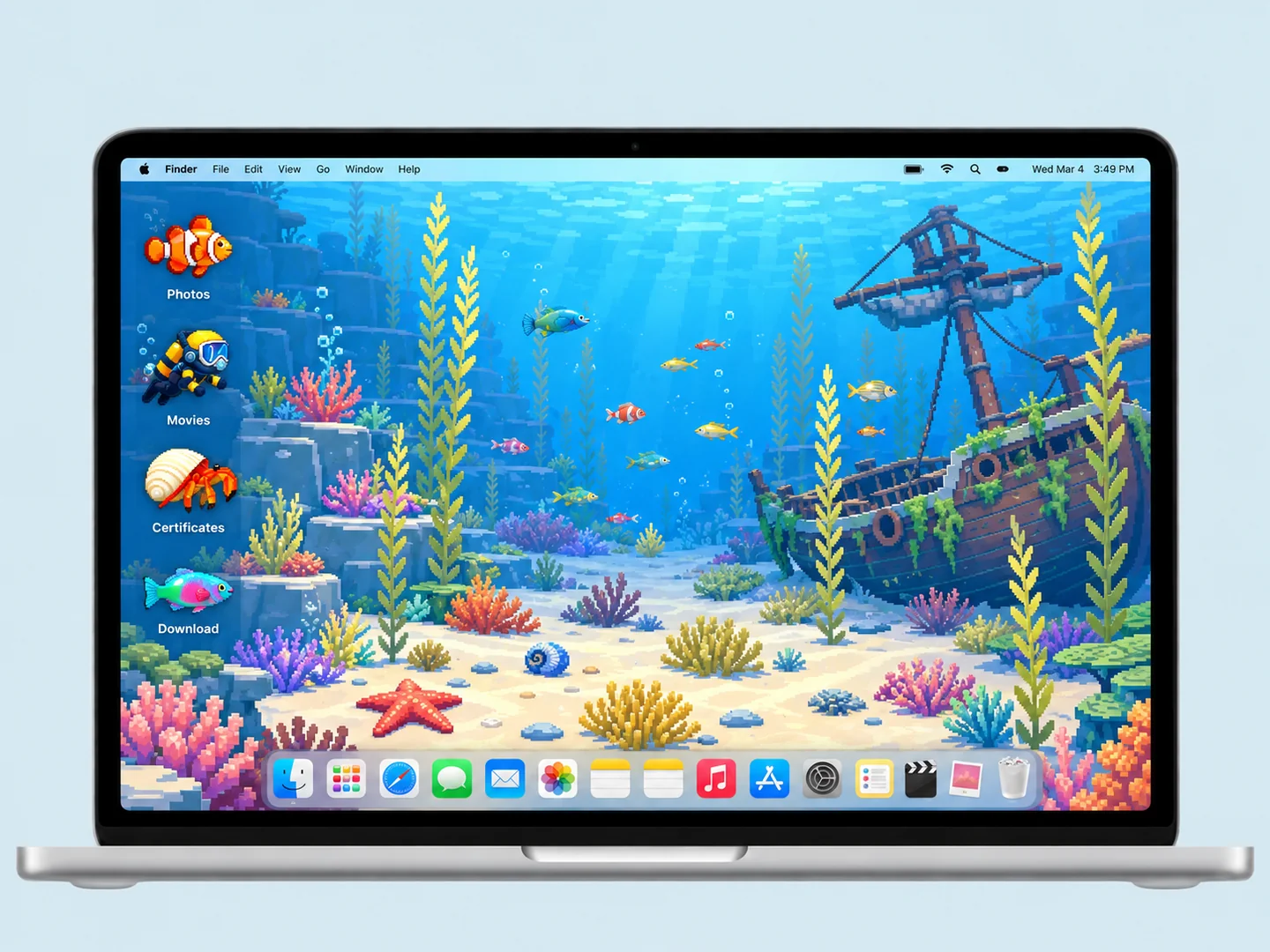
A look with a little logic. Objects feel part of the scene when they follow the same pixel-art style. Clear filenames keep the underwater layout usable.
MAKE IT YOURS
How to recreate this look Use this as a styling recipe. Choose your own assets or check the original creator’s available files and terms.
Choose the wallpaper Choose a blue underwater landscape with open water between plants and wreck details.
Match the folder icons Use distinct fish, diver, and shell silhouettes in the same pixel style.
Arrange the desktop Scatter only a few folders through open water; keep labels away from coral and plants.
Before you recreate it The preview is a new AI interpretation. It is not a tested installation, a downloadable pack, or a promise that every pictured widget exists. Static artwork does not provide working clocks, calendars, or automatic file sorting.
THE STARTING POINT
Build your own version. Keep the palette. Borrow the layout. Choose the details that fit the way you work.
Colors Blue
Preview AI concept illustration Start with the setup guide → GO TO THE SOURCE
Original inspiration & assets Inspired by Shaun / Cozy (Lively Light) · Cozy product/theme showcase.
Original publication: Date unknown
Wallpaper Pixel underwater shipwreck wallpaper
Creator: Cozy / Lively Light
Shown in creator product/theme showcase
Check the original source ↗ Folder icons Fish, diver and hermit-crab folders
Creator: Cozy / Lively Light
Custom folder filenames visible in original reference; asset licenses unresolved
Check the original source ↗ Source observation: Pixel underwater shipwreck wallpaper and fish/diver/hermit-crab folder icons labelled Photos, Movies, Certificates, Download.
Links lead to the creators’ own work and terms. This site does not provide asset downloads. About the images and attribution →