Mac Desktop Ideas.Explore ideas

DESKTOP IDEA / LOOK BREAKDOWN

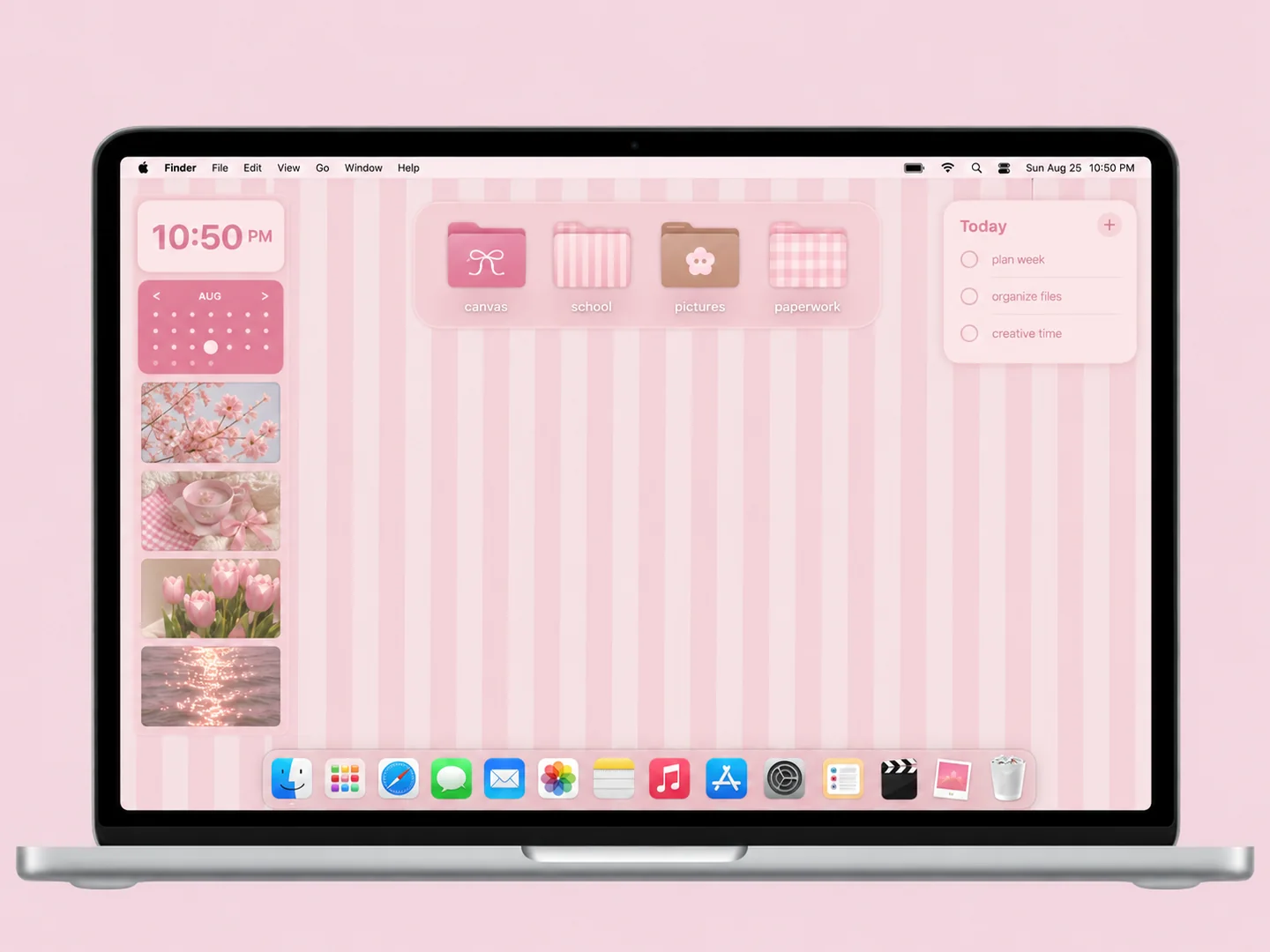
Pink stripes & bow folders.

Pink vertical stripes with bow-decorated folders and a compact calendar area.

Recreate this look ↓
AI concept: pink stripes & bow folders with coordinated wallpaper and folder icons on a front-facing silver laptop.
AI concept preview · inspired by the source, not an original screenshot. Wallpaper, icons, and widgets may differ from the original source.

WHY IT WORKS

A look with a little logic.

Bows provide the focal detail, while straight stripes organize the background. Repeating just two pink shades avoids clutter.

MAKE IT YOURS

How to recreate this look

Use this as a styling recipe. Choose your own assets or check the original creator’s available files and terms.

  1. Choose the wallpaper

    Start with a pale pink and cream striped wallpaper.

  2. Match the folder icons

    Choose one bow-folder design and reuse it for a small set of folders.

  3. Arrange the desktop

    Align the folders in a regular column; keep the calendar separate from file labels.

Before you recreate it

The preview is a new AI interpretation. It is not a tested installation, a downloadable pack, or a promise that every pictured widget exists. Static artwork does not provide working clocks, calendars, or automatic file sorting.

GO TO THE SOURCE

Original inspiration & assets

Inspired by Haus of Planner (@hausofplanner) · Original creator reel · wallpaper + custom folder icons.

Original publication: Apr 3, 2026

Wallpaper

Coordinated wallpaper in original creator reel

Creator: Not confirmed

Original playing reel visually checked by researcher; asset creator not independently established.

Check the original source ↗

Folder icons

Pink bow folders

Creator: Not confirmed

Original reel shows custom folder icons and Finder Get Info replacement; asset provenance not independently established.

Check the original source ↗

Source observation: Pink vertical-stripe wallpaper and calendar/photo widgets, paired with custom pink bow-decorated folders. Original reel demonstrates folder replacement through Finder Get Info.
Links lead to the creators’ own work and terms. This site does not provide asset downloads. About the images and attribution →